
Blog
HC-05 not showing up in the Bluetooth list? It is browning out, not broken
Troniction
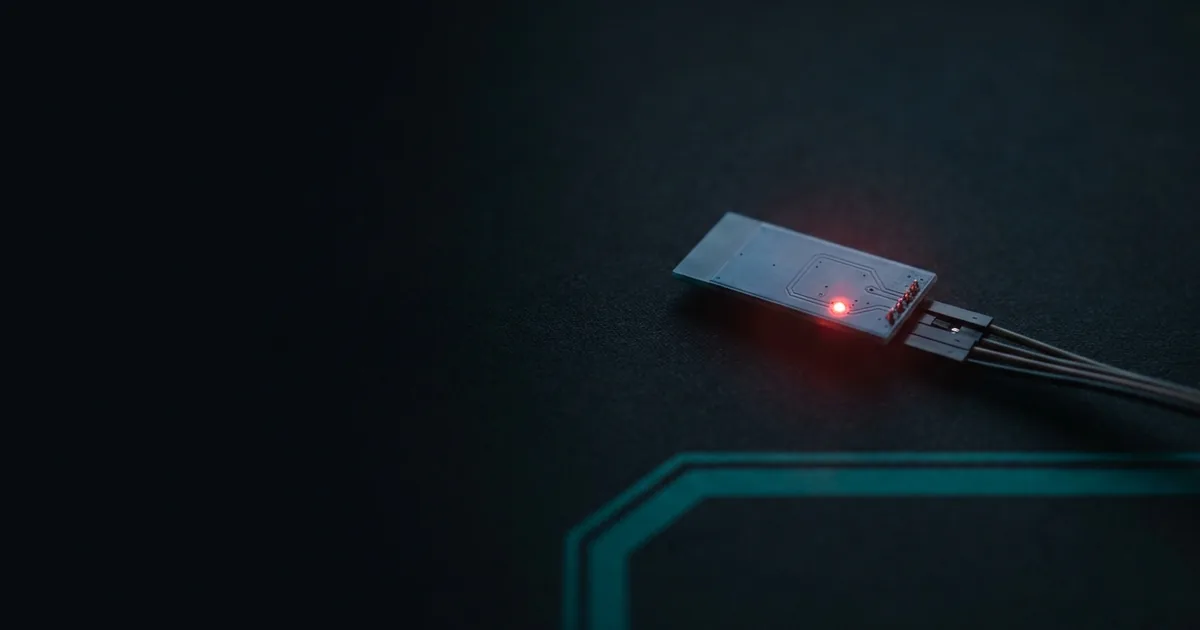
You wired it up, you powered the Arduino, and you opened the Bluetooth screen on your phone. Nothing. No HC-05, no HC-06, no unfamiliar device at all. You have re-checked the wiring twice and it looks exactly like the tutorial.
The module is almost certainly not broken. In the overwhelming majority of these cases one of five things is true, and four of them cost nothing to fix. The most common by a distance is that the module is browning out — it is drawing more current than the pin you plugged it into can supply, at exactly the moment it needs it most. Move its power wire from the Arduino's 3.3V pin to the 5V pin and it often appears immediately.
Here is how to tell which of the five you have, in about a minute.
First, look at the LED
Before touching the phone again, look at the small LED on the module itself. It answers the first question for free: does the module have power, and is it advertising?
| What the LED does | What it means |
|---|---|
| Blinking fast and continuously | Powered, advertising, waiting for a connection. The module is doing its job |
| Lit but steady, or blinking slowly every ~2 seconds | Powered, but not advertising — it is connected to something already, or in AT command mode |
| Nothing at all | No power is reaching the board |
That one observation splits the problem in half. A blinking LED means the module is fine and the fault is further along the chain. A dark LED means you never got to the radio at all.
The four boxes
It helps to hold the whole project in your head as four things in a row:
your phone → the module → the Arduino → the thing it drives
The signal only ever moves one way along that line, which means almost every problem is one box misbehaving. "It never appears in my phone's list" is a symptom that lives entirely in the first two boxes. Your sketch is not involved. Your motor wiring is not involved. You can ignore three quarters of your project while you fix this. Every other symptom in this subject sorts the same way — by which box is misbehaving — on the Arduino Bluetooth fixes index.
Two habits save more time than any single fix: change one thing, then re-test — two changes at once and the result tells you nothing — and prove the radio works before blaming the code.
Cause 1: the supply is sagging
This is the big one, and it is the reason so many people conclude they were sold a dead module.
Most tutorials tell you to run the module's VCC from the Arduino's 3.3V pin, because the module's radio runs at 3.3V. That sounds right and it is wrong, because of one number:
| Arduino Uno's 3.3V pin, maximum draw | 50 mA — that is the entire rail, for everything |
| HC-05 while pairing or searching | under 40 mA |
| HC-05 while actually sending | about 20 mA |
| HC-05 paired but idle | under 8 mA |
Forty against fifty is not headroom. It is a rail running at eighty percent of its rating at precisely the moment the module needs the most — during pairing and discovery, which is the very thing you are trying to get to work.
So the module powers up, starts advertising, draws hard, the rail sags, and it resets. Often it appears in the phone's list for a second and vanishes as you reach for it. Nothing is broken. The supply gave out at the worst possible moment.
The fix: move VCC to the Arduino's 5V pin.
This is not "overvolting" the module, and it is worth being clear about why, because the fear of it keeps people on the sagging rail. Every one of these modules is sold on a breakout board with its own 3.3V regulator, and that regulator's entire job is to take 5V in and make clean 3.3V for the radio. You are using the board exactly as designed.
The genuine limit is at the other end. These modules are specified for a supply of 3.6-6V, so 5V is comfortably inside spec and a 9V battery straight onto VCC is not.
There is no single voltage that kills them, because it depends on which regulator your particular board carries. The small three-pin part many of them use — marked 662K — is specified for a 6V maximum input, so anything past the quoted range is already past the part. Boards built around the larger AMS1117 instead tolerate a good deal more. You cannot tell which one you have from the listing, which is reason enough to stay inside 6V.
Why a sagging rail looks like a dead module
It is worth understanding why this failure hides so well, because it is what sends people out to buy a replacement that behaves identically.
A radio does not draw current evenly. It draws in bursts, and the biggest bursts happen while it is advertising — shouting "I am here" into the room every fraction of a second so that a phone scanning nearby can hear it. That is the peak, and it is the one moment you are watching for.
When the rail cannot hold up under that burst, the voltage dips below what the module needs to run, and it resets. It comes back up, starts advertising, draws hard, and dips again. From the outside there is no drama: no smoke, no heat, no error. The module simply never stays alive long enough to be discovered. Sometimes it flickers into the phone's list and disappears as you reach for it, which reads as a flaky module rather than a starved one.
This also explains a detail people find contradictory: it may work fine once paired, and fail only while pairing. Idle draw is under 8 mA and transmitting is around 20 mA — both comfortably inside 50 mA. It is discovery, at close to 40 mA, that breaks it. A module that works perfectly the moment you get it connected can still be impossible to connect.
Cause 2: no power is actually reaching it
If the LED is completely dark, the radio never started. Check, in this order:
VCCandGNDare both connected, and in the right holes. A jumper one row off is the single most common cause of a dark module- The breadboard rail you are using is actually connected to the Arduino. Many breadboards have a split power rail halfway along
- Ground is common. If the module is powered from anywhere other than the Arduino — a bench supply, a separate battery, a second board — its ground must still be tied to the Arduino's ground
That third one deserves its own sentence. Serial is a voltage measured against ground. Two circuits whose grounds are not joined have no shared idea of what zero is, and every byte becomes noise.
You may have read that swapping VCC and GND instantly destroys the module. That is overstated. Many of the common breakouts — the JY-MCU boards in particular — carry reverse-polarity protection and survive it. Do not treat it as safe, but do not assume a module is dead because it was briefly in backwards. Over-voltage is the failure that is actually documented as fatal.
Cause 3: it is already bonded to something else
A Bluetooth module that is connected to one device will not advertise itself to another. If it has ever successfully paired with anything — your laptop, an old phone, a tablet in a drawer, your own phone before you reset the sketch — that device may be silently grabbing it the moment it powers up.
The test: turn Bluetooth off on every other device in the room that has ever paired with it. Then power-cycle the module and look again.
The fix: go into the Bluetooth settings on those devices and properly remove the pairing — "Forget this device", "Unpair", or the equivalent. Turning Bluetooth off is a test, not a fix; the device will reclaim it next time it is switched on.
Cause 4: it is a BLE module and you are looking in the wrong place
This one catches people who bought an HM-10 or something sold as one, rather than an HC-05 or HC-06.
Classic Bluetooth modules appear in your phone's normal Bluetooth settings screen, the same list where your headphones live. BLE modules usually do not. They advertise on a different mechanism, and most phone operating systems simply do not show them in the system pairing screen at all. The module can be working perfectly and still be invisible there.
The test: install a BLE scanner app — nRF Connect, or LightBlue — and look for it there instead. If it appears in the scanner but never in the settings screen, nothing is wrong. You were looking in the wrong list.
Cause 5: it is Classic, and you are on an iPhone
Leave this one until last, because it is the only cause here whose fix costs money — and someone who works down the list without reaching it can lose an evening to wiring that was never wrong.
Classic Bluetooth SPP — which is what an HC-05 and an HC-06 speak — is invisible to iOS at the operating-system level. No app fixes it, no library fixes it, and no wiring change fixes it. You need a BLE module: a genuine HM-10, or an ESP32. And Web Bluetooth is not the escape hatch — it is not in Safari, any version.
The test: borrow an Android phone for thirty seconds. If the module appears there and never on the iPhone, you have found it, and no amount of further debugging on the iPhone will change the answer.
The order to work through
| # | Test | If that is it |
|---|---|---|
| 1 | Is the LED blinking at all? | Dark → cause 2, no power |
| 2 | Does it appear when powered from 5V instead of 3.3V? | Yes → cause 1, the rail was sagging |
| 3 | Turn Bluetooth off on every other device that has paired with it | Appears → cause 3, unpair it there |
| 4 | Does nRF Connect or LightBlue see it? | Yes → cause 4, it is BLE, wrong list |
| 5 | Does an Android phone see it? | Yes → cause 5, Classic will never work with iOS |
Work down it in that order and stop at the first test that changes something. The order is not arbitrary — it runs from the cheapest and most likely to the most expensive and rarest.
What if none of that was it
If the LED blinks, it is not bonded elsewhere, a BLE scanner cannot see it, and an Android phone cannot see it either, then you are past the common causes and into a harder question: what did you actually buy?
A surprising number of these modules are not the thing the listing said. The HM-10 in particular has been copied, and then the copy was copied — CC41-A, AT-09, MLT-BT05, and outright fakes — all sold under the same name, often in the same listing at the same price. They use the same four pins and the same wiring, so nothing in this article changes. What changes is which AT commands exist, what they answer, and in the worst cases whether the thing can be made to work at all.
That matters here because the usual next step — going into AT command mode to check the module's name and settings — behaves differently on each of them. A reader following a mainstream tutorial with a clone in hand gets ERROR on every line and concludes they have broken their board, when they simply own a different part than the tutorial assumed.
There is one more possibility worth ruling out before you go that far: the module may be fine and paired, while the sketch on the Arduino is holding the serial pins in a way that stops anything useful happening. If uploading a sketch also hangs forever whenever the module is wired up, that one is pins 0 and 1 and it is not a radio problem at all. And if the module does appear, pairs, and then fills the Serial Monitor with symbols, that is one wrong number rather than a broken module.
Either way it is worth being sure you are solving the problem you actually have before moving on.
Common questions
- Is my HC-05 dead if the LED does not light at all?
- Usually not. An unlit LED means no power is reaching the board, so check VCC and GND first — a jumper into the wrong hole is far more common than a dead module. The one thing that genuinely destroys these modules is over-voltage: they are specified for 3.6-6V, and how far past that is fatal depends on which regulator your board happens to carry — the common 662K part is rated for a 6V maximum input.
- Why does moving it from the 3.3V pin to the 5V pin fix anything? Is that not overvolting it?
- No. Every one of these modules is sold on a breakout board carrying its own 3.3V regulator, and that regulator exists precisely to take 5V in and make clean 3.3V for the radio. Using the 5V pin is using the board as designed. What you are avoiding is the Uno's own 3.3V pin, which is rated for 50 mA total.
- It shows up on my friend's Android but never on my iPhone. What fixes that?
- Nothing you can do in software. Classic Bluetooth SPP, which is what an HC-05 and HC-06 speak, is invisible to iOS at the operating-system level. You need a BLE module — a genuine HM-10, or an ESP32.
- The LED blinks but the phone still sees nothing. What now?
- A blinking LED means the module has power and is advertising, so the fault is past the module. The two usual causes are that it is still bonded to another device that has it claimed, or that it is a BLE module, which typically never appears in the phone's system pairing screen at all — you need an app like nRF Connect or LightBlue to see it.
That is the written version. The same thing, worked through end to end:
 31:00
31:00Arduino Bluetooth module not showing up: it is almost never the module
All four causes, the LED test that tells them apart, and the five tests in the order that costs you least.
Watch on YouTubeStill not connecting?
Arduino Bluetooth — Make It Connect is a 277-page book of every way the link fails, why, and the fix — HC-05, HC-06 and HM-10 BLE, including the clone family few sources cover. PDF and EPUB, $15.