
Blog
Arduino Bluetooth garbage characters? It is one number, not a broken module
TronictionUpdated
You open the Serial Monitor expecting words and get ⸮⸮⸮. Or ÿÿÿ. Or a run of accented capitals that looks different every time you reset the board. It reads like the worst possible outcome — as though the module is fried, or the wiring is wrong, or something deeper is broken.
It is very nearly the best news in this whole subject. Those characters are proof that everything difficult is already working: the module has power, the wiring is right, TX and RX are crossed correctly, and bytes are genuinely leaving the module and arriving at the Arduino.
The only thing wrong is that the two ends disagree about how fast the bits are being sent. Fix that one number and the same signal turns into readable text. Nothing is broken. You have a working link and an argument about speed.
Why a wrong number produces symbols rather than silence
This is worth thirty seconds because it explains the symptom exactly, and it tells you when the problem is not the baud rate.
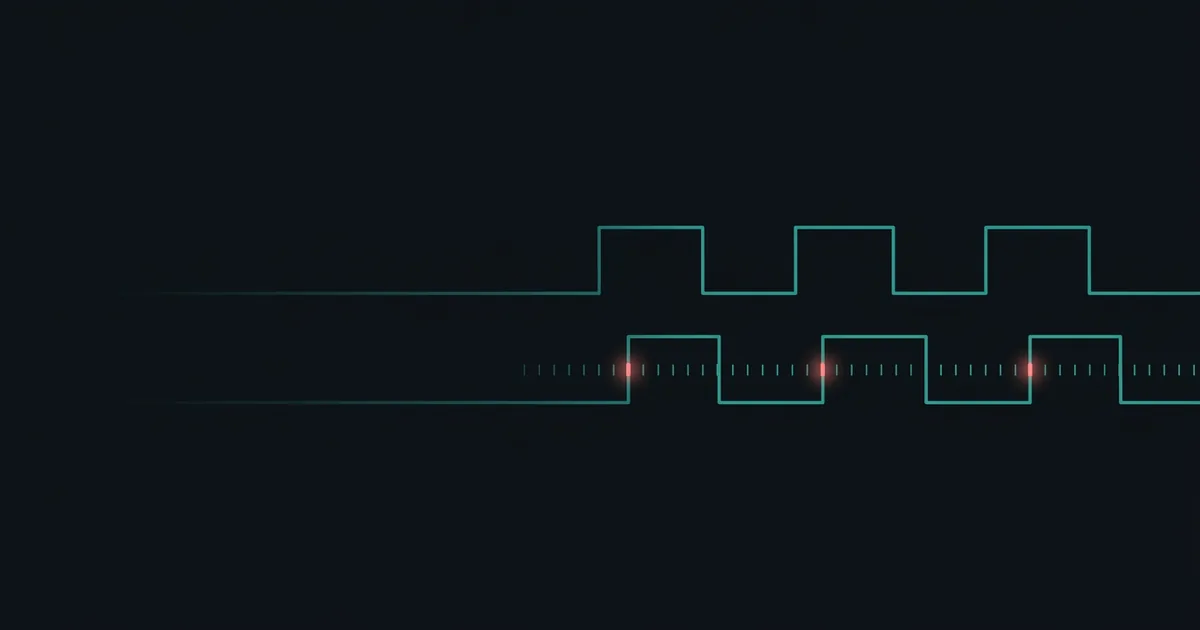
Serial has no clock line. The sender and receiver do not share a heartbeat — they simply agree in advance on a speed, and then the receiver counts. It waits for the line to drop, then samples the wire at fixed intervals, and each sample becomes one bit.
If the receiver is counting at the wrong speed, it still samples. It just samples at the wrong moments — sometimes twice inside one bit, sometimes straddling two. The bits it collects are real voltages read at the wrong instants, and they assemble into a byte that was never sent.
Two consequences follow, and both are useful:
- You get characters, not nothing. Every byte still decodes into something. That something is usually outside the printable range, which is why you see symbols and accented capitals
- The output changes between runs. Where sampling happens to start shifts what comes out. If your garbage is different every reset, that is a speed disagreement, not a fault
You can watch this happen rather than take it on trust. The baud mismatch playground lets you set the two rates apart and type a character: send a capital B at 9600 to a receiver listening at 4800 and it arrives as ü, every time. Send an A and it vanishes entirely, because its start bit is rejected as noise — which is why a garbled line is often shorter than what was sent.
If instead you get complete silence, stop reading — this is not your problem. Silence is a wiring or a port question, and it belongs somewhere else.
The real numbers, per module
This is the table the internet gets wrong, so it is worth having in front of you.
| Module | Data / passthrough | AT command mode |
|---|---|---|
| HC-05 | 9600 — but many ZS-040 clones ship at 38400 | 38400 |
| HC-06 | 9600 | same as data — no separate mode |
| HM-10 (genuine) | 9600 — 115200 on firmware V700–V709 | same as data |
| CC41-A / MLT-BT05 | 9600 | same as data |
57600 is not the rate for the HC-05. It is a widely repeated claim, it appears in tutorials with very large view counts, and it is not the factory default for anything on that table. (57600 is also the one rate a 16 MHz Arduino generates badly — 2.12% off, against 0.16% for 9600.) If a guide tells you to use 57600, that guide is describing a module somebody had already reconfigured — and following it will produce exactly the garbage you are trying to get rid of.
The same table is available as a module lookup if you would rather pick your part and be told the two numbers.
Notice the row that causes the most trouble: the HC-05 has two different numbers. 9600 to move data, 38400 to accept AT commands. One module, two rates, depending on what it is doing. That single fact is behind a great deal of the confusion, because a reader who finds "38400" in an AT-commands tutorial reasonably assumes it is the rate for the module.
It is also worth understanding why a wrong number spreads so easily in this particular corner. Baud rates are invisible. There is no way to look at a module and see what it is set to, and once someone has changed one, their sketch is correct for them — so a tutorial written from a reconfigured module is genuinely working code that simply does not apply to a new part out of the packet. The number gets copied forward because it was never wrong for the person who wrote it down. That is why "it worked for me" is weak evidence here, and why the table above is worth more than any single guide.
The three places a baud rate is set
Garbage means two of these three disagree. The whole job is working out which pair.
| Where | Set by | How to check |
|---|---|---|
| The Serial Monitor | The dropdown at the bottom right of the window | Look at it |
| The sketch | Serial.begin(9600) or mySerial.begin(9600) | Read the line |
| The module itself | Its stored configuration, from the factory or a previous AT command | Ask it |
Two of those you can read off your own screen in five seconds. Only the third requires any work — which is why the diagnosis below starts with the cheap ones.
Which pair is arguing
If the garbage appears when you type into the Serial Monitor and the sketch is only echoing back, then the monitor and the sketch disagree. This is the easy case, because both numbers are visible to you right now: one in the dropdown, one in Serial.begin(). Make them match.
If the sketch prints clean text of its own but anything coming from the module is garbage, then the sketch and the module disagree. The monitor is innocent — it is rendering exactly what the Arduino handed it, and the Arduino is mis-reading the module.
If you have never seen anything intelligible at all, you do not yet know the module's rate, and there is no point guessing in the dark.
If that is four paragraphs more than you wanted, answer four questions instead — it asks what you are seeing and tells you which number to set.
The fix: three numbers, in order
Change only the sketch, re-upload, and look again. One change at a time.
- 9600 — correct for every module in this article straight out of the box
- 38400 — the ZS-040 HC-05 clones, and HC-05 AT command mode
- 115200 — HM-10 firmware V700 to V709
Three attempts covers essentially every module you can buy. If none of them produces readable text, the baud rate is not your problem and you should stop turning this dial.
void setup() {
  Serial.begin(9600);        // the USB link, to your screen
  mySerial.begin(9600);      // the module — match what the module actually uses
}
Then set the Serial Monitor dropdown to match Serial.begin(), and you are done.
The two-number trap, concretely
The commonest way to get stuck here is to change the wrong one of those two lines. Picture the usual setup: the module is on SoftwareSerial pins, and your sketch is passing whatever arrives straight through to the USB port so you can read it.
There are two independent links in that arrangement, in series:
| Link | Set by | Talks to |
|---|---|---|
| Arduino ↔ your computer | Serial.begin() and the monitor dropdown | The Serial Monitor window |
| Arduino ↔ the module | mySerial.begin() | The Bluetooth module |
A mismatch on the first link garbles everything, including text your sketch prints itself. A mismatch on the second garbles only what came from the module — your own Serial.println() messages stay perfectly readable in the middle of the mess.
That asymmetry is the fastest diagnostic in this article. Add one line to setup() that prints something you recognise. If that line comes out clean and the module's data does not, the Arduino-to-computer link is fine and you can stop adjusting it — the disagreement is entirely between the sketch and the module.
Both numbers in that sketch are 9600, but they are not the same setting. One is the speed of the USB cable to your computer. The other is the speed of the wires to the module. They are frequently the same value, which hides the fact that they are unrelated — and it means a tutorial that changes "the baud rate" can leave you unsure which one it meant.
Change the sketch, not the module
Once you know the module's rate, the shortest path is to make the sketch agree with the module and stop. Resist the urge to tidy up by reconfiguring the module itself.
A module set to an unusual rate is a module that will confuse you again in six months, and will confuse anyone you ever hand the project to. The setting lives in the module, not in your sketch, so it is invisible in your code and travels with the hardware.
There is one good reason to change it anyway: the module is at 38400 or 115200 and every tutorial you want to follow assumes 9600. Setting it down to 9600 genuinely does make the rest of your life simpler. That is an AT command, and before you send one:
On the HM-10 and its clones, a baud change applies immediately and permanently, and survives a power cycle. Set it wrong and you must find the new rate before you can talk to the module again — which means working down a list on a module that is now at a number that is not on it. AT+RENEW restores factory defaults, but you still have to reach the module at its current rate to send it.
The HC-05 is more forgiving here, and this is a real advantage: because its AT rate and its data rate are separate, changing the data rate does not change the 38400 you use to get back into command mode. You cannot lock yourself out the same way.
What if none of the three worked
If 9600, 38400 and 115200 all produce garbage, the number is not the problem. Two things are worth checking before you go further.
Prove the link with a terminal app first. If garbage is all you have ever seen, you do not actually know that the module works — and configuring a module you cannot talk to is how a one-hour problem becomes a weekend. A phone, a free serial terminal app, and a typed letter settle it in about thirty seconds.
Then find out what you are actually holding. A great many modules sold as one thing are another, and clones ship with defaults that are not on the standard table. Asking the module its name is two AT commands — but the syntax for asking differs between the genuine part and its clones, which is a problem of its own.
And check that you are reading the right port at all. If the module sits on SoftwareSerial pins while the sketch reads Serial, you are not listening to the module — you are listening to the USB cable, and whatever appears is unrelated to the radio. That failure can look like a baud problem because the output is nonsense, but no number will ever fix it. Follow the wire: the pins the module is physically plugged into must be the pins named in the object the sketch reads. (SoftwareSerial is not the same thing as the hardware port, and the difference matters above 9600.) And if those pins turn out to be 0 and 1, you have a second problem waiting — uploads will hang for as long as the module is connected.
There is a broader point here worth keeping. Garbage characters are the cheapest failure in this subject precisely because they prove so much is already right. When you are stuck on something that produces nothing at all — a module that never appears in the phone's list — you would trade for this problem gladly.
Every symptom in this subject, with the test that identifies each, is indexed on the Arduino Bluetooth fixes page.
Common questions
- Is 57600 the correct baud rate for an HC-05?
- No. It is not the factory default for any module covered here. The HC-05 ships at 9600 for data and uses 38400 for AT command mode, and many ZS-040 clones ship at 38400 for data. A tutorial recommending 57600 is describing a module somebody had already reconfigured.
- Should I change the module's baud rate or the sketch's?
- The sketch, almost always. Make Serial.begin() agree with whatever the module actually uses and stop there. A module reconfigured to an unusual rate will confuse you again in six months, and will confuse anyone you hand the project to.
- I changed my HM-10's baud rate and now I cannot talk to it. Is it bricked?
- No. On the HM-10 and its clones a baud change applies immediately and permanently, so you have to find the new rate before you can reach it again. Once you do, AT+RENEW restores factory defaults. The catch is that you still need to reach the module at its current rate to send that command.
- The characters change every time I look. Does that mean it is faulty?
- No, and it is a useful clue. A baud mismatch samples the same electrical signal at the wrong moments, so the byte it decodes depends on exactly where sampling started. Random-looking output that changes run to run is what a speed disagreement looks like — a genuinely broken module usually gives you silence instead.
That is the written version. The same thing, worked through end to end:
 27:34
27:34Arduino Bluetooth garbage characters: it is one number, not a broken module
What is actually on the wire, why the wrong speed produces exactly those symbols, and the real baud rate per module.
Watch on YouTubeStill not connecting?
Arduino Bluetooth — Make It Connect is a 277-page book of every way the link fails, why, and the fix — HC-05, HC-06 and HM-10 BLE, including the clone family few sources cover. PDF and EPUB, $15.