
Wiring Guide
Wiring Guide
Follow these step-by-step instructions to properly wire all components of your Arduino car. Careful attention to the wiring diagram will ensure your car functions correctly.
Connect Motor Driver L298N to Gear Motors
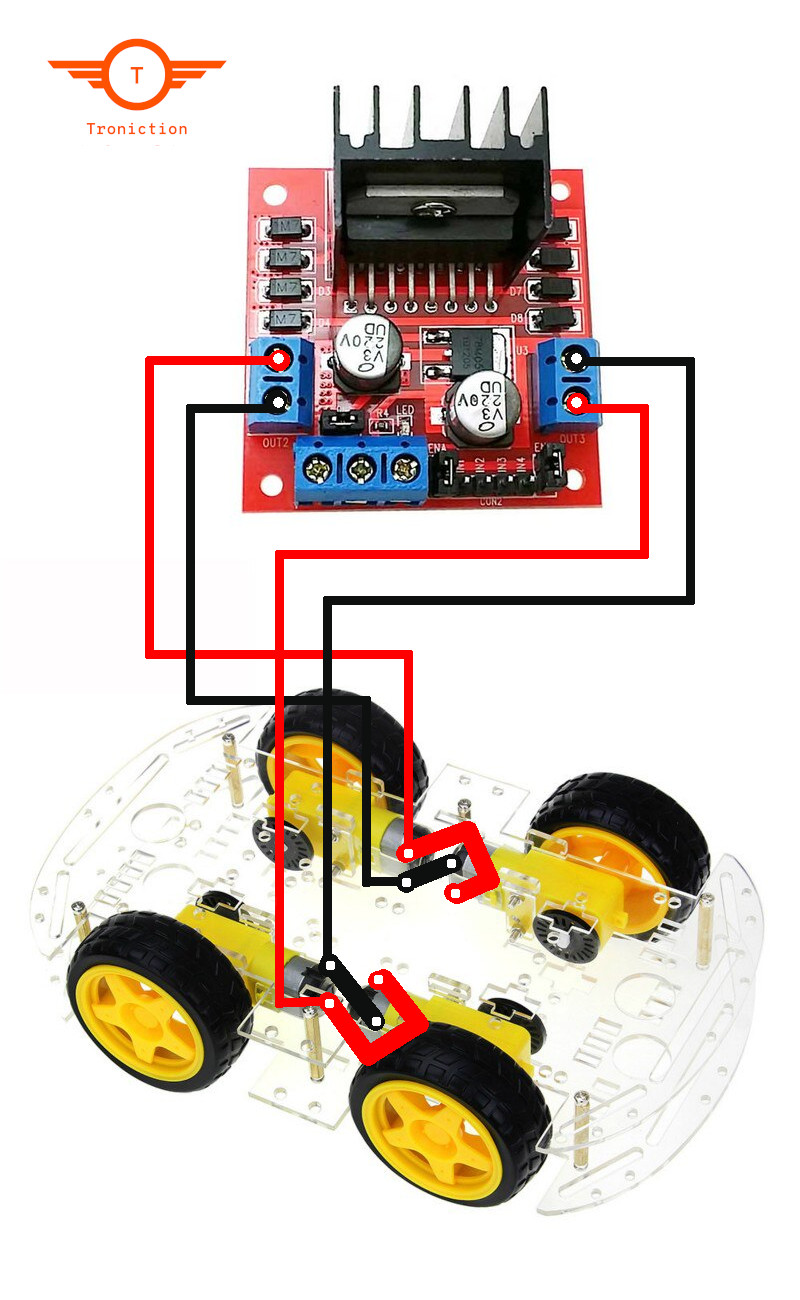
Tip: When the gear motor position changes direction perpendicularly, wires should also be interchanged to get the same rotating direction. See the below diagram, same side wires are not parallel. The wires are interchanged. See the front two motor wirings, the wires are interchanged to get the same direction. Warning: If you connect the wires parallelly and symmetrically then the wheels will rotate in opposite directions. You may have to change the wiring later. Always connect the wires as shown in the diagram below. (Change the polarities of the wires when the gear motor rotates 90 degrees).
Connect Motor Driver L298N to Arduino
Connecting the motor driver L298N to Arduino is pretty straightforward. Just use a size 6 ribbon cable and connect the two as shown in the below table.
| Arduino Pin | L298N Pin |
|---|---|
| 8 | EnB |
| 9 | IN4 |
| 10 | IN3 |
| 11 | IN2 |
| 12 | IN1 |
| 13 | EnA |
Connect Bluetooth Module HC-06 to Arduino
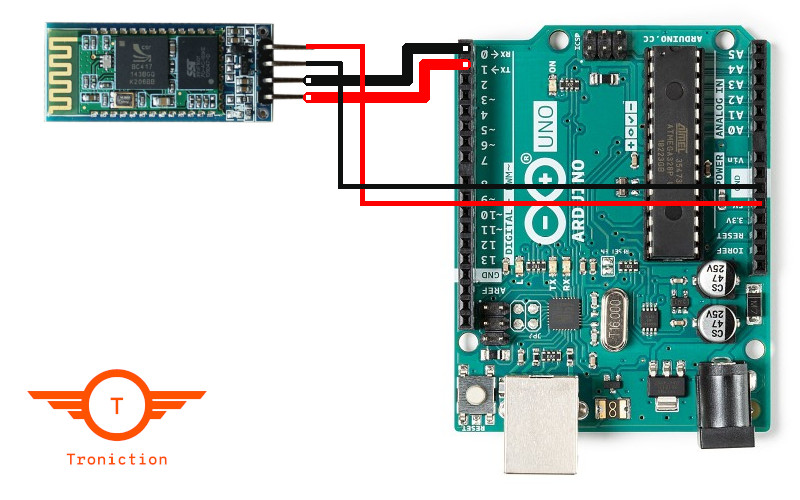
Connect the HC-06 Bluetooth module to the Arduino as shown in the diagram below.
Connect Buzzer to Arduino
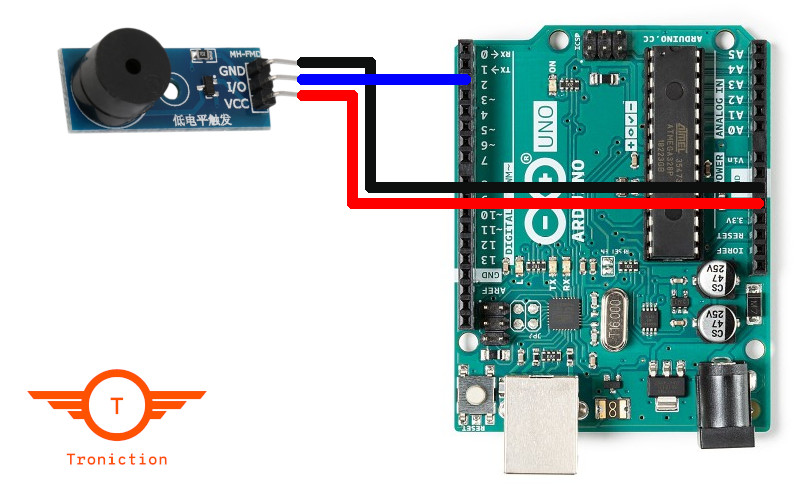
Connect the buzzer to the Arduino as shown in the diagram below.
Connect Battery Pack to Arduino
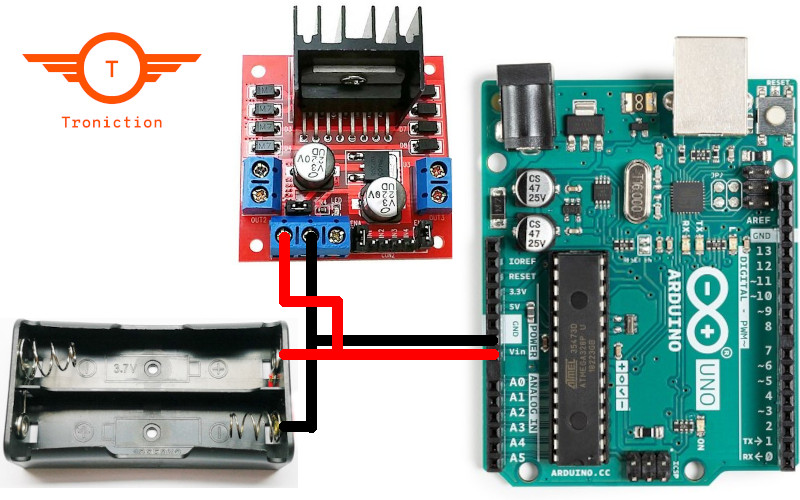
Connect the battery pack to power the Arduino as shown in the diagram below.