
Learn
TTL vs RS-232 vs USB serial — same bytes, three completely different wires
Troniction
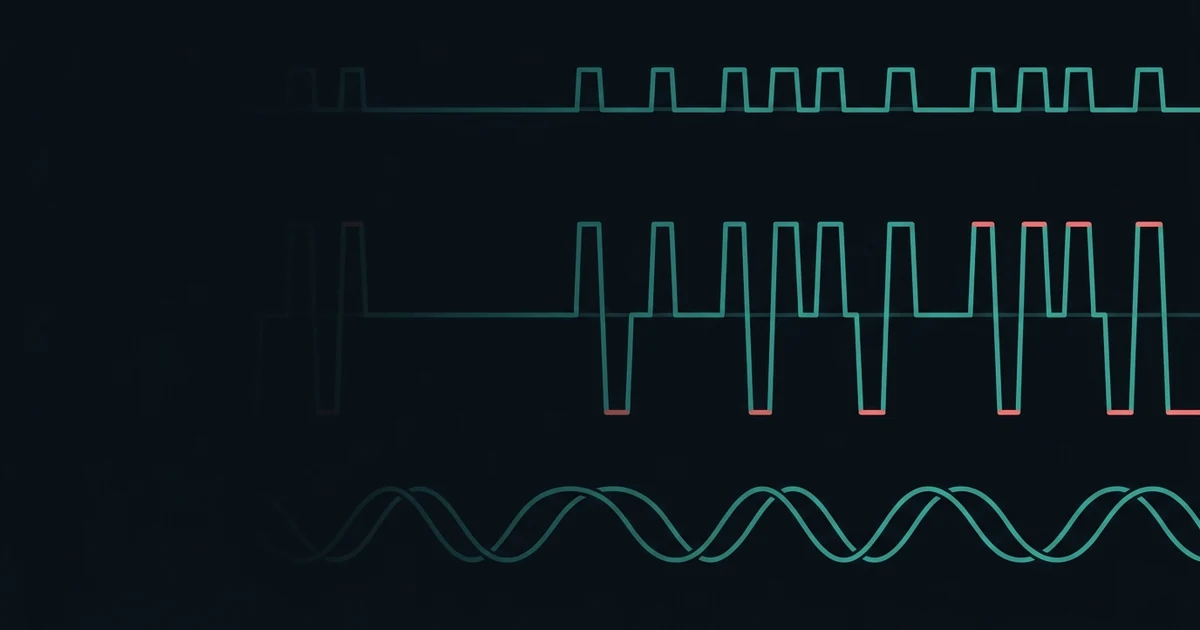
Three things get called "serial", and people move between them assuming they are interchangeable. Two of them will damage each other if you connect them directly, and the third is not serial at all in any physical sense.
The confusing part is that at the level of the data, they genuinely are the same. Same start bit, same eight data bits, same stop bit, same 8N1 notation, same baud rates. What differs is entirely underneath — how a 1 and a 0 are represented as voltage on a wire. Get that distinction straight and the whole subject stops being muddled.
TTL serial — what your microcontroller actually has
This is the UART on the chip. Two pins, TX and RX, and the signalling could not be simpler:
- A 1 is the supply voltage — 5 V on an Uno, 3.3 V on an ESP32 or a Pi
- A 0 is 0 V
- The line idles high, at the supply voltage
That is it. It is called TTL for historical reasons, and you will also see it written as "logic level" or "UART serial". When a datasheet or a tutorial says "connect the module's TX to the Arduino's RX", this is the thing being connected.
The critical property is that the voltage is tied to the supply. A 3.3 V device outputs 3.3 V for a 1, and feeding that into a 5 V input usually works, because 3.3 V is above the threshold a 5 V chip counts as high. The reverse is the problem: 5 V into a 3.3 V input is over the limit, and that is the entire subject of do you need a voltage divider on the HC-05 — the answer being yes on one wire and no on the other, which is precisely why the internet cannot agree about it.
TTL is designed for short runs. Centimetres on a board, tens of centimetres on jumper wires. It is unbalanced, referenced to ground, and has no noise immunity to speak of.
RS-232 — the same bytes, at hostile voltages
RS-232 is what the old nine-pin D-sub connector on a PC carried. It sends exactly the same frames, and it is electrically nothing like TTL:
| TTL | RS-232 | |
|---|---|---|
| Logic 1 (idle) | +5 V or +3.3 V | −3 V to −15 V |
| Logic 0 | 0 V | +3 V to +15 V |
| Polarity | high is 1 | inverted — low voltage is 1 |
| Typical range | under a metre | 15 metres or more |
Two things there matter enormously.
The logic is inverted. What TTL calls a 1, RS-232 sends as a negative voltage. The signals are not merely scaled; they are upside down.
The voltages are large and bipolar. A real RS-232 driver swings to roughly ±12 V. An Arduino input pin is rated for −0.5 V to VCC + 0.5 V. Connecting a genuine RS-232 line to a microcontroller pin applies roughly 12 volts of reverse bias to a part specified for half a volt, and the pin does not survive it.
This is not caution for its own sake. It is the single most damaging mistake in this area, and it is easy to make because the connectors are adaptable and the data format is identical.
The bridge between them is a level converter — the MAX232 being the classic part, which uses charge pumps to generate the negative rail and inverts the signals in both directions. If you are connecting a microcontroller to anything with a D-sub serial connector, you need one.
The large voltages are not a flaw. RS-232 was specified for cables between equipment in different racks, and a bigger voltage swing with a wide dead band between the states is what lets a signal survive fifteen metres of unshielded cable and still be read correctly.
USB serial — emulation, not signalling
Here is where the word "serial" stops describing anything on the wire.
USB is a packet-based, differential, host-scheduled bus with its own clock recovery and error checking. There is no start bit, no stop bit, no baud rate. Nothing about USB resembles a UART. What you have is a virtual serial port: software on both sides agreeing to behave as though a UART were present.
Two different arrangements exist, and mixing them up explains a lot of confusion:
A bridge chip. On an Arduino Uno there is a second microcontroller, an ATmega16U2, whose only job is to be a USB device on one side and a real TTL UART on the other. Clones commonly use a CH340 or CP2102 instead. When you set 9600 in the Serial Monitor, that instruction is sent over USB to the bridge, which genuinely configures a UART at 9600 and clocks real bits out to the main chip. The baud rate is real, and getting it wrong produces real garbage.
Native USB. On a Leonardo, a Micro, an ESP32-S3 or a Pi Pico, the main chip speaks USB itself. The serial port is emulated end to end and no UART exists anywhere in the path. The baud rate you set is passed along as metadata and then ignored — which is why on these boards you can set the Serial Monitor to any rate at all and it still works. That behaviour looks like a bug when you have only ever used an Uno, and it is the correct behaviour.
This is worth knowing before you debug a baud rate for an hour: on a native-USB board the Serial rate is fiction, but any hardware port such as Serial1 — which is what a Bluetooth module connects to — is a genuine UART where the rate matters completely.
The part that stays the same
Strip away the electrical layer and all three carry the identical structure: idle, one start bit, data bits least-significant-first, optional parity, one or two stop bits. The receiver's job is the same in every case, and so are the failure modes — the framing described in what start and stop bits are for is the framing on all of them.
That is why a single mental model covers the lot. The difference between TTL, RS-232 and USB serial is not what is being said. It is how loudly, in which direction, and over what distance.
Which one you are actually using
| You are connecting | What it is | Watch out for |
|---|---|---|
| Arduino to HC-05, GPS, sensor | TTL | 5 V into a 3.3 V RX pin |
| Arduino to PC over the USB cable | USB with a bridge chip | the baud rate is real |
| Leonardo, Pico, ESP32-S3 over USB | native USB emulation | the Serial baud rate is ignored |
| Anything to a 9-pin D-sub port | RS-232 | needs a MAX232 — direct connection destroys pins |
If bytes are arriving but wrong, the electrical layer is almost certainly fine and the rate is the problem — see garbage characters in the Serial Monitor. If nothing arrives at all, suspect the wiring: TX to RX crossed, and a shared ground, which unbalanced TTL absolutely requires and which is the most commonly forgotten wire on the bench.
Common questions
- Is TTL serial the same as RS-232?
- The data format is identical but the electrical signalling is not, and they are not compatible. TTL idles at the supply voltage and uses 0 V for a zero. RS-232 idles at a negative voltage, typically between minus 5 and minus 12, and inverts the logic. Wiring one directly to the other can destroy the TTL device.
- Can I connect an Arduino directly to a PC serial port?
- Not to a real RS-232 port. Those swing to plus and minus 12 volts, well outside what a 5 V microcontroller pin can survive, and the logic is inverted as well. You need a level converter such as a MAX232. The USB port on an Arduino is a different thing entirely and is safe.
- Is USB serial a real UART?
- No. USB is a packet-based differential bus with its own clocking, and nothing in it resembles a start bit. What you get is emulation — either a chip on the board translating USB packets into real UART signals, or, on native-USB boards, a virtual port where the baud rate is a number nobody uses.
- Why does the baud rate not matter on some USB boards?
- On boards with native USB, such as the Leonardo or a Pi Pico, the serial port is emulated over USB directly. There is no UART and no bit timing, so the baud rate you set is passed along as metadata and otherwise ignored. On an Uno the setting is real, because a separate chip is driving an actual UART.
Still not connecting?
Arduino Bluetooth — Make It Connect is 62 pages of every way the link fails, why, and the fix — HC-05, HC-06 and HM-10 BLE, including the clone family almost nothing covers. $9.