
An Arduino car for kids: start here
A child of 12 or older can build an Arduino car and drive it from a phone, with an adult at the table: parts from one named list, no soldering, and a laptop for one step. The free book walks you both through it.
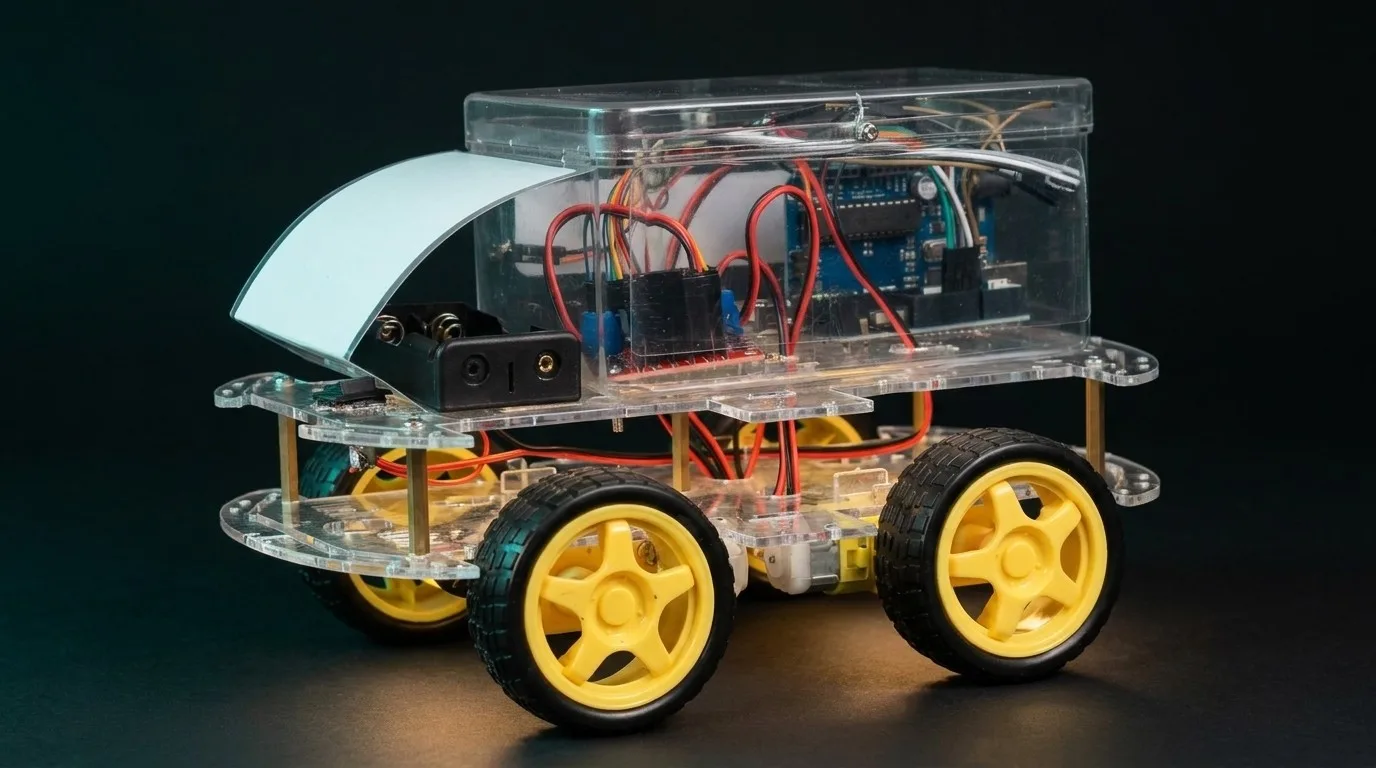
The finished Troniction car. It drives over Bluetooth, horn and reversing beep included.
Before you start
What it takes
- Age
- 12 or older, with an adult at the table. Younger children have not been tested with the book.
- Parts
- Bought one by one from one named list. The book keeps it current, with what each part does.
- Tools
- None that heat up: screw terminals and push-on wires, no soldering.
- A laptop
- Windows or Mac, one you may install software on. Not a Chromebook or a tablet.
- A phone
- Android for the HC-06; an iPhone works with the HM-10, through the free Bluefy browser.
- Time
- Not promised: I have not timed a family yet. Four stages, each ending with a test, so any session can stop after one.
The child builds.
The adult reads each step aloud, checks it against the picture, handles the battery cells and installs the software.
Your phone: Android, or an HM-10 for iPhone
The car in the online guide uses an HC-06 and drives from an Android phone. Classic Bluetooth SPP — which is what an HC-05 and an HC-06 speak — is invisible to iOS at the operating-system level. No app fixes it, no library fixes it, and no wiring change fixes it. You need a BLE module: a genuine HM-10, or an ESP32. And Web Bluetooth is not the escape hatch — it is not in Safari, any version.
The book covers both side by side: the HC-06 for Android, and the HM-10, which drives from an iPhone through a web page in the free Bluefy browser. HC-05 vs HC-06 vs HM-10
Where to start
Read the guide free, or take the book
The guide and the book are the same car. The guide is the six steps online; the book adds who does each step, a test after every stage, and why it works.
- Free guideBuild an Arduino Bluetooth carThe six steps online, with photos: parts, wiring, code, upload, drive, share.
- Free bookBuild a Car With Your KidThe 261-page book: who does each step, a test after every stage, and why it works.
- PartsThe bill of materialsEvery part and what it is for. Buy the whole list before you start.
- PartsWhat each component doesThe Uno, the L298N, the Bluetooth module, the motors and the battery.
- CodeThe free sketchesThe code for the car, ready to upload. Nothing to type in.
- Adult stepUpload the sketchLaptop, USB cable, one button. Unplug the module’s data wires first.
By email
The free book, and a pack to print for the bench
Build a Car With Your Kid, second edition: a 261-page colour PDF and an EPUB, written for the parent who has never wired anything. It is the complete build, with nothing held back for a paid version. What is in the book
The bench pack
Part 1’s step cards, test boxes and checklists, to print in black and white: 33 pages on A4, 37 on Letter.
Going deeper
The tools, fixes and pages that go with the car
- LabThe H-bridge: four switches, one motorFlip the switches and watch the motor change direction.
- LabPWM: speed is a trickSlide the duty cycle and see what the motor feels.
- LabWhich Bluetooth module should I buy?Say what has to talk to it, and see which one.
- BlogNo soldering requiredEvery connection in the car is a screw or a pin.
- BlogWhat the code in the car is doingSketch structure, pins and control flow, in plain words.
- With the bookThe car remoteFor the HM-10: drive from Chrome on Android or Bluefy on an iPhone.
- With the bookIf it doesn’t moveRun the stage tests in order; the first that fails names the box.
- With the bookTen broken carsSymptoms to diagnose, with hints and answers.
- FixThe upload hangs?The Bluetooth module is still on pins 0 and 1.
The Academy
Want a certificate at the end?
Free, graded Arduino courses in the Academy, with a certificate when you finish.
Fixing a Bluetooth module rather than building a car? Arduino Bluetooth, start here