
Arduino Bluetooth, start here
An HC-05, HC-06 or HM-10 link is four boxes in a row: the phone, the module, the Arduino, and the thing it drives. Almost every problem is one box misbehaving. Read the first 30 pages of the book free.
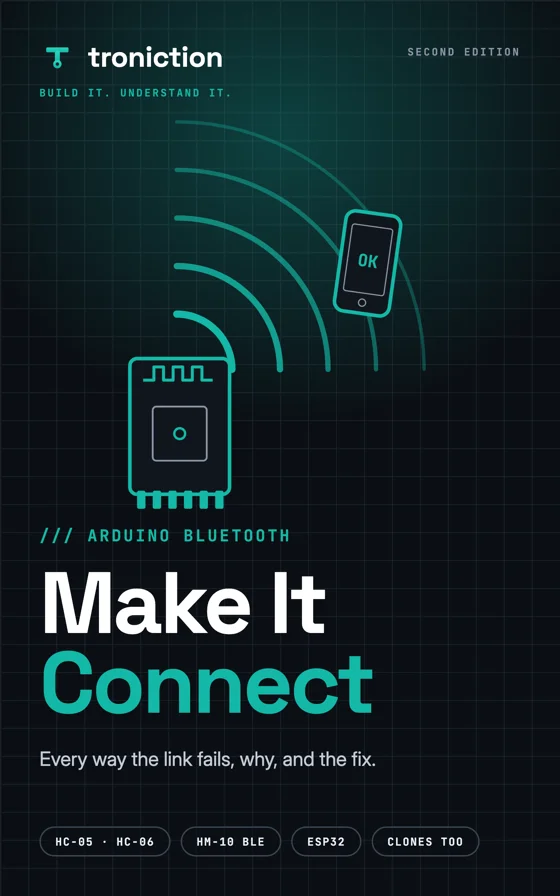
The four boxes
Find the box first
01
Phone
Won't pair. Never appears in the list. Pairs and drops.
02
Module
Garbage characters. Total silence. The module gets warm.
03
Arduino
The module is clearly fine, but the sketch does nothing, or the wrong thing.
04
The thing
All of that works, the letter arrives — and the motor sits there.
Then go to the symptom index, which maps all 22 symptoms to their fix.
Fixes
12 symptoms with a free write-up
Each is a full article on its own page. The other 10 are answered in the book.
- PhoneIt never appears in my phone's Bluetooth list
- ModuleIt pairs, then drops after a few seconds
- ModuleThe Serial Monitor shows ⸮⸮⸮
- ArduinoUploading a sketch hangs forever
- ModuleAT commands return ERROR, or nothing at all
- ModuleThe module got hot, and now it's dead
- ModuleDo I need those two resistors, or not?
- PhoneIt asks for a pairing code and 1234 does not work
- ArduinoIt says connected, but the Arduino does nothing
- ArduinoThe command arrives split in half, or twice over
- ModuleWhich module should I even buy?
- ModuleShould I just use an ESP32 instead?
The Lab
15 free tools to poke at serial
Interactive pages that show what the wire is doing: baud mismatches, AT line endings, brown-outs, and which module to buy.
- LabWhat 8N1 actually meansTake a UART frame apart. Change the data bits, parity and stop bits and watch the waveform change with them.
- LabBaud mismatch playgroundSet two rates, type any text, and watch exactly which bytes arrive, which are rejected, and why the garbage looks the way it does.
- LabHow close is close enough?Drag the clock error and watch where the receiver starts sampling the wrong bit — always at the stop bit, never at the start.
- LabWhich baud rate do I need?Four questions that tell you whether the baud rate is your problem at all, and which number both ends should be set to.
- LabFactory baud rates by moduleWhat each module ships at — and the separate AT-mode rate that catches most people out.
- LabWill it brown out?Move one wire and watch the verdict flip. The Uno's 3.3V pin gives 50 mA in total; an HC-05 wants close to 40 of it at the exact moment you are trying to pair.
- LabWhy every AT command returns ERRORPick your module, pick the dropdown, send a bare AT. Watch the same command answer OK, return ERROR, or say nothing at all — with nothing else on the bench changing.
- LabWhat the Arduino actually receivesType what your app sends, pick its line ending, and see every byte as a number, the dispatcher step it reaches, and what the car does.
- LabWhich Bluetooth module should I buy?Say what has to talk to it: an iPhone, a web page, another Arduino. See which of the HC-06, HC-05 and HM-10 that means, and the row that decides it.
- LabWhich Bluetooth module do I actually have?Count the pins, look for the button, send one bare AT. Three things you can check in a minute settle which of the four modules is on your desk — and therefore which settings are yours.
- LabChange baud without locking yourself outBuild AT+UART= correctly, see the exact line and its terminator bytes, and find out before you send it whether you will be able to get back in afterwards.
- LabWhich fault is this?Twenty Arduino Bluetooth faults in a new order every time. Name the box, pick the one test, and see the lure named when you fall for it.
- LabThe H-bridge: four switches, one motorFlip IN1, IN2 and ENA on an L298N bridge and watch the current's path, the motor's direction, the brake and the coast. Then the car's five letters.
- LabPWM: speed is a trickSlide the duty cycle and watch the square wave, the average voltage the motor feels, and why a speed wire on pin 13 gives one speed.
- LabA web-page Bluetooth remote for the HM-10Connect to any HM-10 from a web page and drive: hold an arrow to send its letter, let go to stop, and read what your Arduino sends back.
Learn
The concepts underneath
- Why is 9600 the default baud rate?
- How much baud rate error is too much?
- What a brown-out actually is
- How much current can an Arduino pin supply?
- Why a Bluetooth breakout has its own regulator
- SoftwareSerial vs hardware serial
- Which pins for Bluetooth on each board
- What are start and stop bits for?
- Why does serial have no clock line?
- TTL vs RS-232 vs USB serial
The book
Make It Connect, second edition
Every way an Arduino Bluetooth link fails, why, and the fix: the HC-05, HC-06, HM-10, the clones and the ESP32. A 277-page colour PDF and an EPUB, $15.
The first 30 pages are free by email. To choose between the book on its own and the book with the build course, see fix it, or build with it.
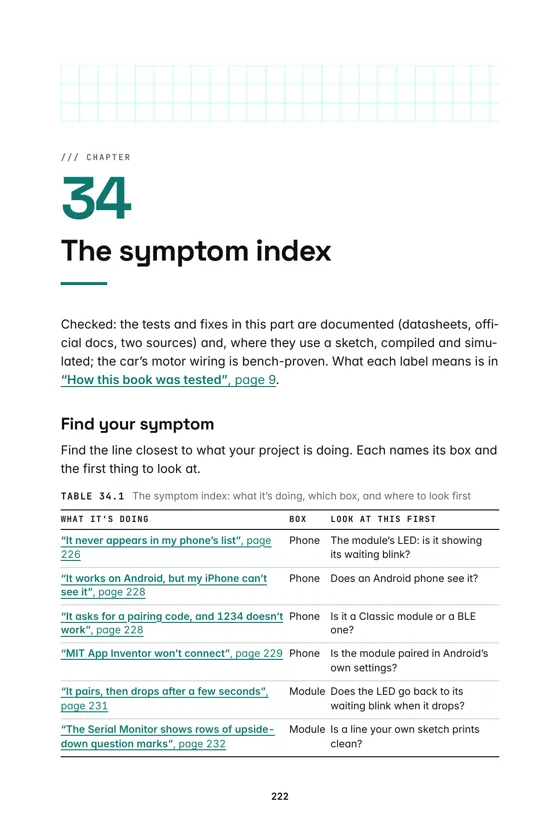
The symptom index, page 222
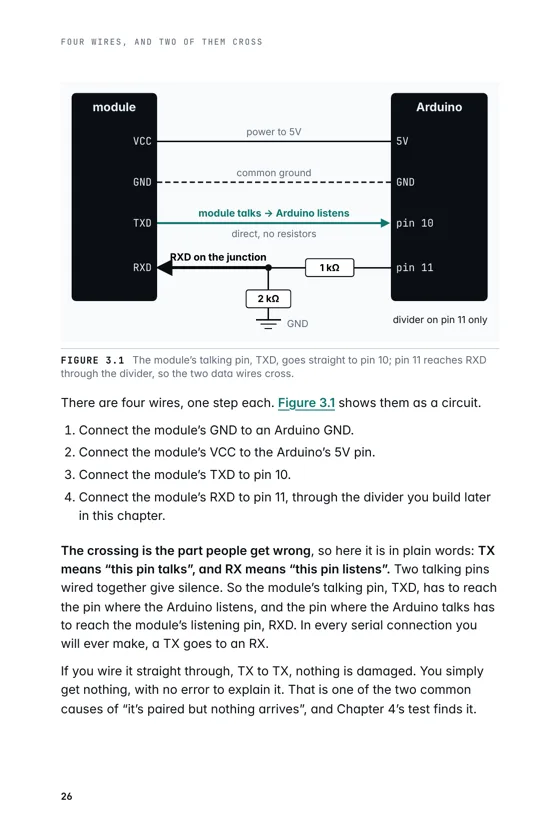
Wire it once, page 26
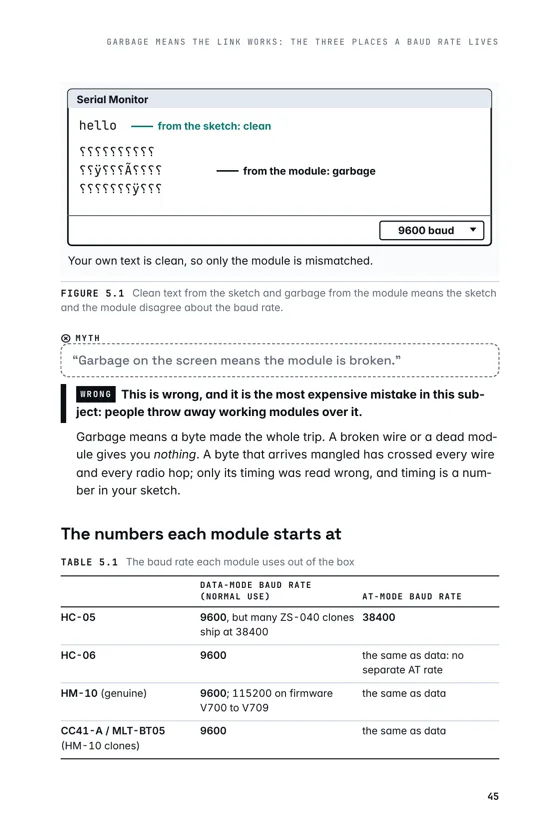
Garbage means the link works, page 45
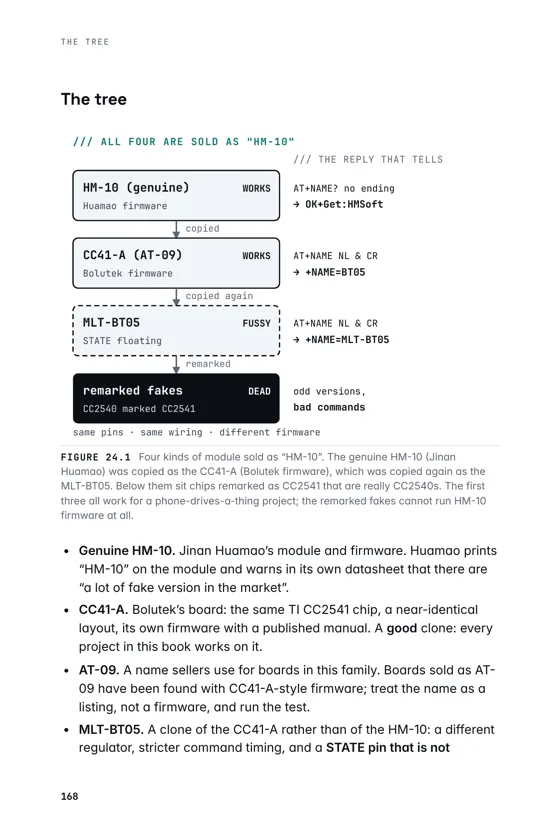
The clone family, page 168
Related topics
- Building a car with a child rather than fixing a module? An Arduino car for kids, start here
- Arduino and Bluetooth history, start here